Google Chat Integration
The Google Chat integration posts test execution result cards to a Google Chat space using a webhook URL.
Prerequisites
- A Google Chat space where you are a manager
- A Robonito workspace with Admin or Owner access
Setup
Step 1 — Create a Webhook in Google Chat
- Open Google Chat and navigate to the space where you want notifications.
- Click the space name at the top → Apps & Integrations → Add Webhooks.
- Click Add Webhook, enter a name (e.g., "Robonito"), and optionally add an avatar URL.
- Click Save and copy the webhook URL.
Step 2 — Connect in Robonito
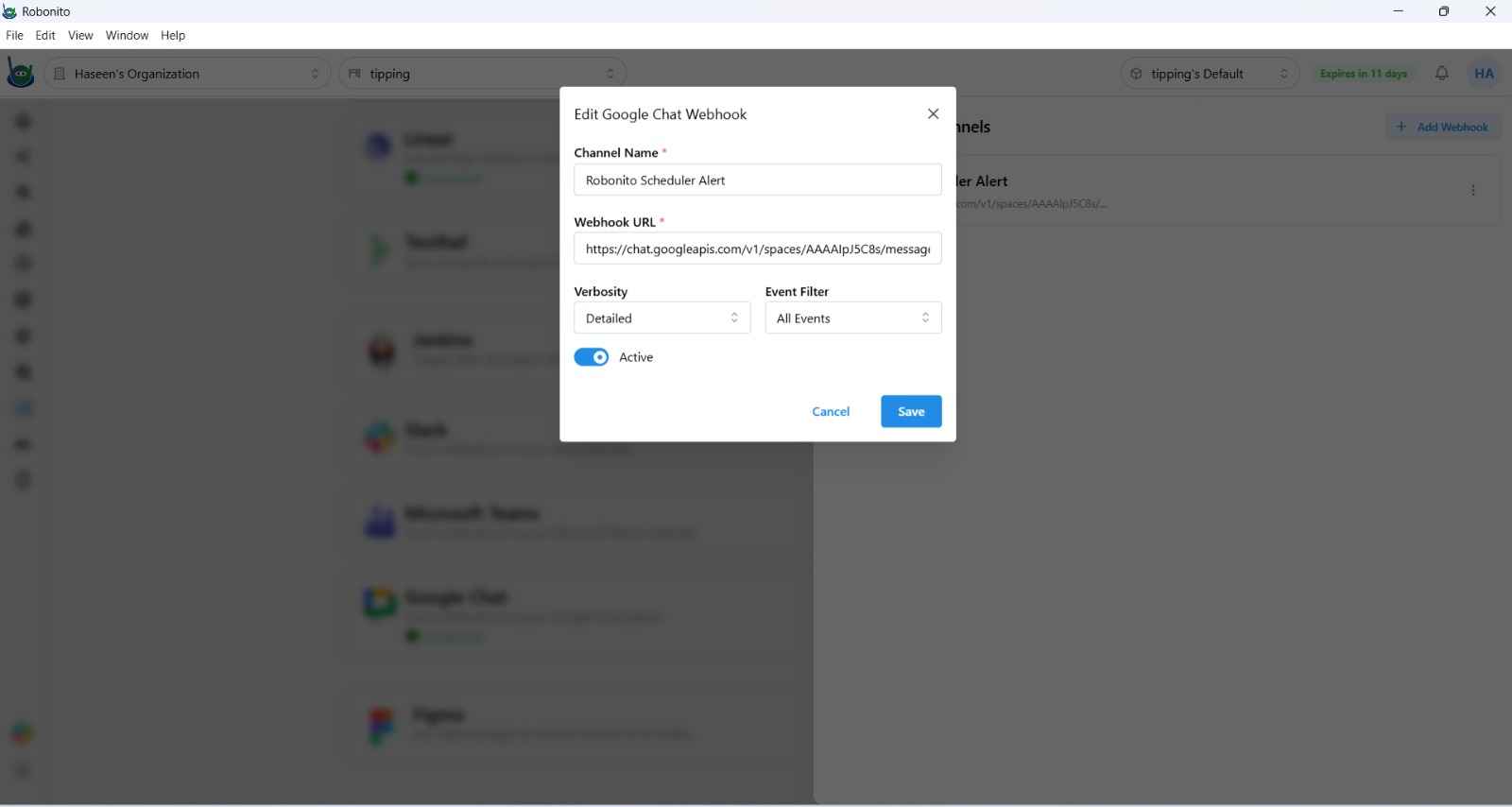
- In Robonito, navigate to Integrations → Google Chat.
- Paste the webhook URL into the Webhook URL field.
- Click Save.
What Gets Posted
Robonito sends a structured card message to the Google Chat space after each suite or scheduled run with:
- Suite name and run timestamp
- Pass/fail counts and overall pass rate
- List of failed test cases (up to 5)
- A link to the full execution report
Updating or Disconnecting
Navigate to Integrations → Google Chat and update the webhook URL or click Disconnect to remove the integration.