Cloud Execution
Cloud execution runs your tests on Robonito's managed cloud infrastructure — no desktop app required. Cloud runs are fully parallel, support multiple browsers, and integrate directly with CI/CD pipelines and schedules.
When to Use Cloud Execution
| Situation | Use Cloud |
|---|---|
| Scheduled overnight regression runs | ✅ Yes |
| CI/CD pipeline integration (GitHub, Jenkins) | ✅ Yes |
| Running tests across multiple browsers simultaneously | ✅ Yes |
| Unattended execution without a desktop app open | ✅ Yes |
| Testing a publicly accessible staging environment | ✅ Yes |
Testing against localhost or private intranet only | ❌ Use Local |
Running a Test in the Cloud
From a Single Test Case
- Open the test case in the editor.
- Click Execute.
- Set Runs on to
Cloud. - Select an Environment.
- Configure your cloud execution profile (browser, screen size, options).
- Click Run.
Robonito dispatches the test to a cloud worker. The execution progress streams back to the app in real time.
From a Suite
- Open the suite in the test explorer.
- Click Execute in the suite toolbar.
- Select
Cloudand choose an environment. - All test cases in the suite are dispatched in parallel across isolated cloud workers.
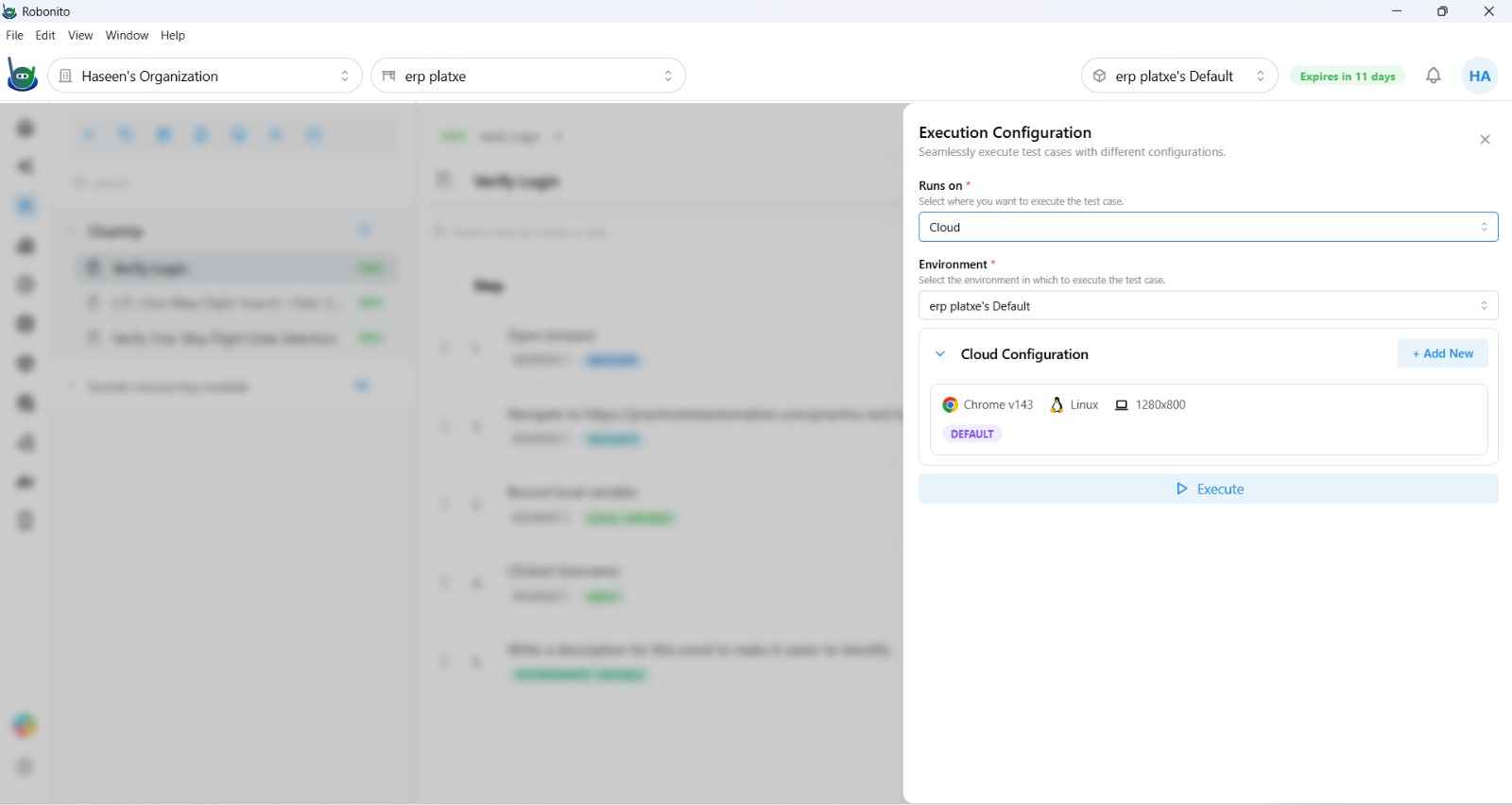
Cloud Execution Configuration
Cloud test cases support named execution profiles. Each profile defines the browser and environment for that run. You can save multiple profiles per test case — one default plus additional overrides.
| Setting | Options |
|---|---|
| Browser | Chrome, Firefox, WebKit (Safari), Microsoft Edge |
| Browser Version | Specific pinned version or latest |
| Screen Size | Common presets (1920×1080, 1366×768, etc.) or custom |
| Enable WebGL | On / Off |
| Run Accessibility Check | On / Off — generates an WCAG accessibility report alongside the test |
| Continue on Failure | On / Off — when On, execution continues past failed steps to collect more results |
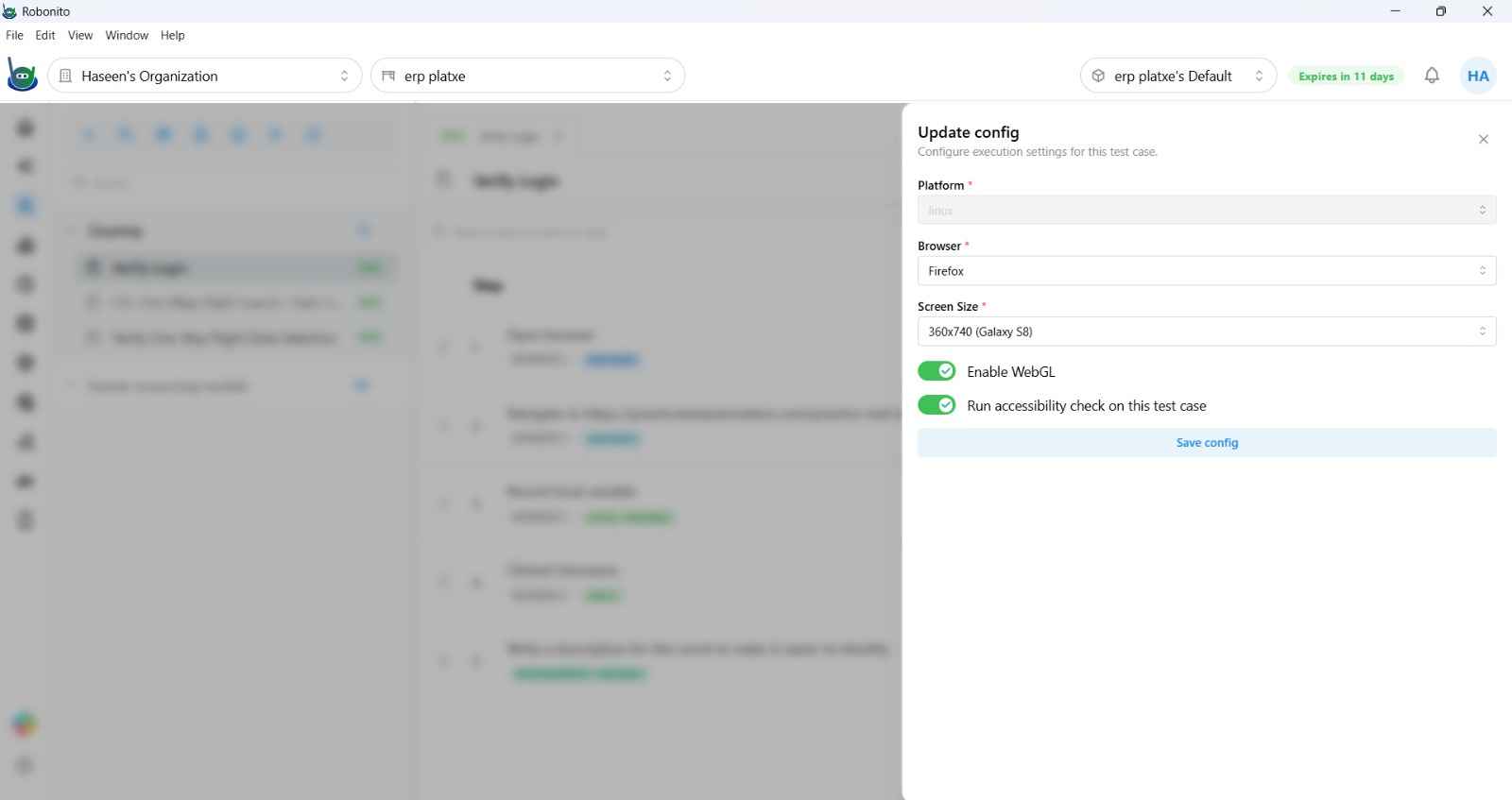
Parallel Execution
Cloud execution dispatches all tests in a suite simultaneously — each test runs in its own isolated browser instance on a separate cloud worker. This means:
- A 50-test suite that takes 2 minutes per test completes in ~2 minutes total (not 100 minutes).
- Each test is completely isolated — no shared browser state, no cookie pollution between tests.
- Results stream back to the Reports dashboard as each worker finishes.
See Parallel Execution → for advanced parallelization strategies.
Accessibility Testing
When Run Accessibility Check is enabled on a cloud profile, Robonito runs a WCAG 2.1 scan at the end of the test. Results appear in the execution report under the Accessibility tab, listing each violation by severity (Critical, Serious, Moderate, Minor) with the affected element and a remediation hint.
Cloud Execution Reports
Cloud runs appear in the Reports dashboard with:
- Execution source:
Cloudor the triggering source (Schedule, GitHub Check Run) - Browser and platform used
- Full step-by-step timeline with screenshots
- Accessibility report (if enabled)
- Network HAR data and browser console logs
Requirements
Cloud execution requires a Robonito cloud subscription. To upgrade or enquire about cloud plan options, contact Robonito support or visit your workspace's billing settings.
Note: Mobile test cases (Android and iOS) are not currently available for cloud execution. Mobile tests run locally only.