Local Execution
Local execution runs your tests on your own machine, using browsers and devices installed through the Robonito environment manager. It gives you immediate access to services running on localhost and lets you watch tests live in a real browser window.
When to Use Local Execution
| Situation | Use Local |
|---|---|
Testing against localhost or a private intranet | ✅ Yes |
| Debugging a failing test step-by-step | ✅ Yes |
| Watching the test run live in a browser | ✅ Yes |
| Unattended overnight regression pipeline | ❌ Use Cloud |
| Running tests in CI/CD without a desktop app | ❌ Use Cloud |
| Parallel execution across multiple browsers | ❌ Use Cloud |
Running a Test Locally
From a Single Test Case
- Open the test case in the editor.
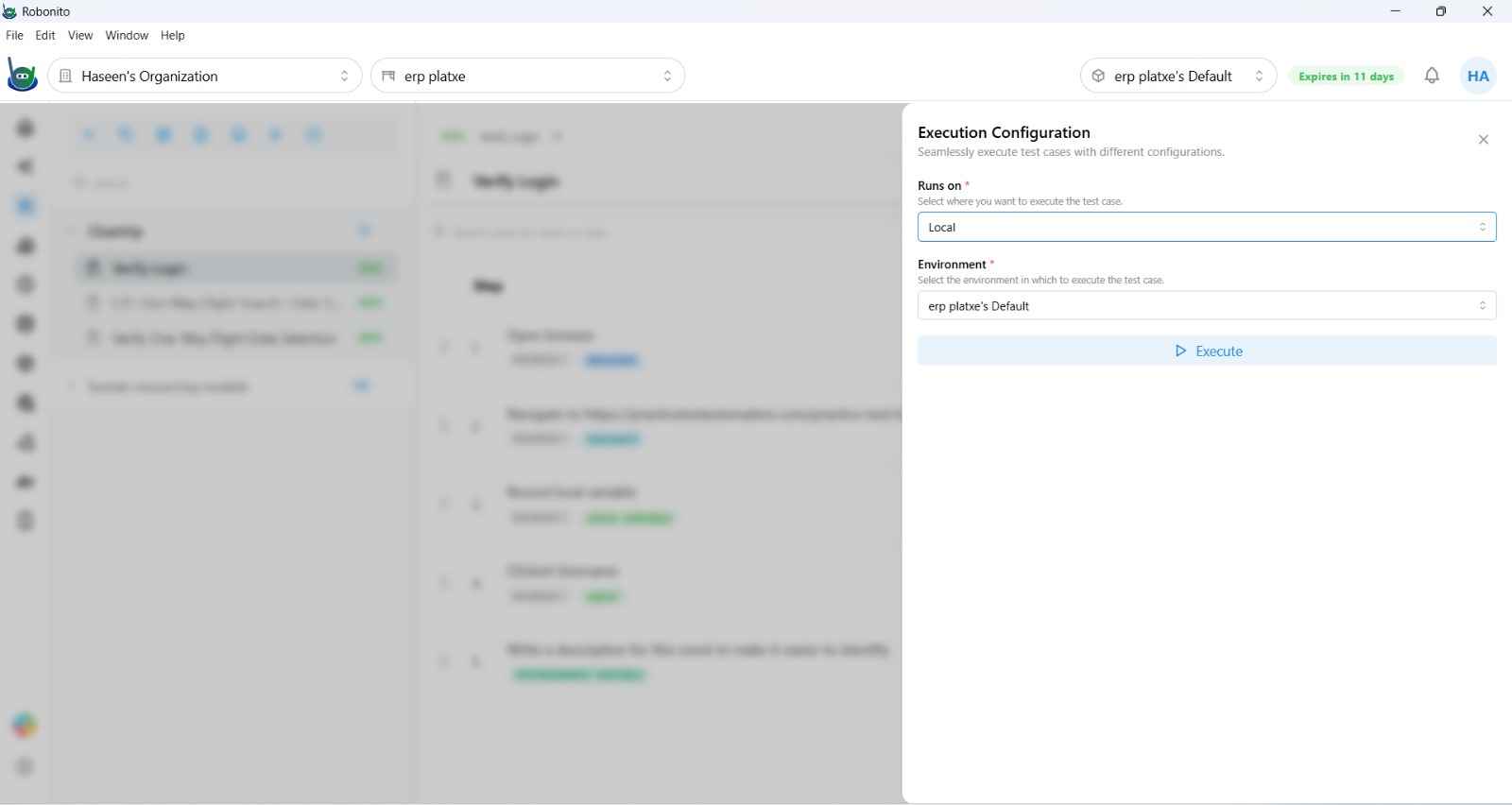
- Click Execute.
- In the execution dialog, set Runs on to
Local. - Select an Environment from the dropdown.
- Click Run.
Robonito launches a browser window on your machine and replays every recorded step in sequence. You can watch it run in real time.
Requirement: The Robonito desktop application must be open and you must be signed in for local execution to work. If the app is closed, scheduled local runs will not fire.
From a Suite
- Open the suite in the test explorer.
- Click Execute in the suite toolbar.
- Select
Localand choose an environment. - All test cases in the suite run sequentially on your machine.
Local Execution Behavior
- Sequential — test cases run one after another, not in parallel.
- Same browser session — each test case gets a fresh browser instance.
- Live browser window — a real visible browser opens for each test. You can watch every step execute.
- No VPN required — because the test runs on your machine, it can reach any host your machine can reach, including
localhostand private network hosts.
Available Browsers (Local)
Browsers must be installed via the Browser Management → page before they are available for local runs.
| Browser | Notes |
|---|---|
| Chrome | Default. Most compatible. |
| Firefox | Excellent for cross-browser testing. |
| Edge | Windows systems installed via a separate installer. |
| WebKit (Safari) | macOS only. Requires macOS installation. |
Headless Mode
The browser node in your test case has a Headless Mode toggle. When enabled, the browser runs invisibly in the background — no window opens. Useful for fast background validation when you do not need to watch the run.
Viewing Results
When the run completes, Robonito automatically opens the execution report. You can also find it later in Reports → Execution Type: Test Case filtered to your local runs.
Local execution reports show the same step-level detail as cloud reports: pass/fail per step, screenshots on failure, DOM state, and assertion results.
Troubleshooting Local Runs
| Symptom | Solution |
|---|---|
| "Browser not found" error | Install the browser in Environment Manager → Browser Management |
| Test hangs and never completes | Check that the target URL is reachable from your machine |
| Steps fail that pass in cloud | Check for timing differences — cloud machines may be faster/slower; add Wait steps |
| Local scheduled run didn't fire | Confirm the Robonito app was open and signed in at the scheduled time |
| Video / network capture missing | Enable capture in the Browser node options of the test case |