API Chaining & AI-Driven Workflows
API Chaining connects multiple API requests in sequence, automatically passing data extracted from upstream responses into downstream requests. This is the foundation of realistic end-to-end API testing—such as authenticating, extracting a token, creating an entity, verifying it by ID, and deleting it in a single automated test run.
Robonito pairs traditional variable chaining with AI-Powered Workflow Generation and Assertion Assistance, enabling you to automatically turn complex API specifications into executable, multi-step test journeys without writing manual JSONPath expressions.
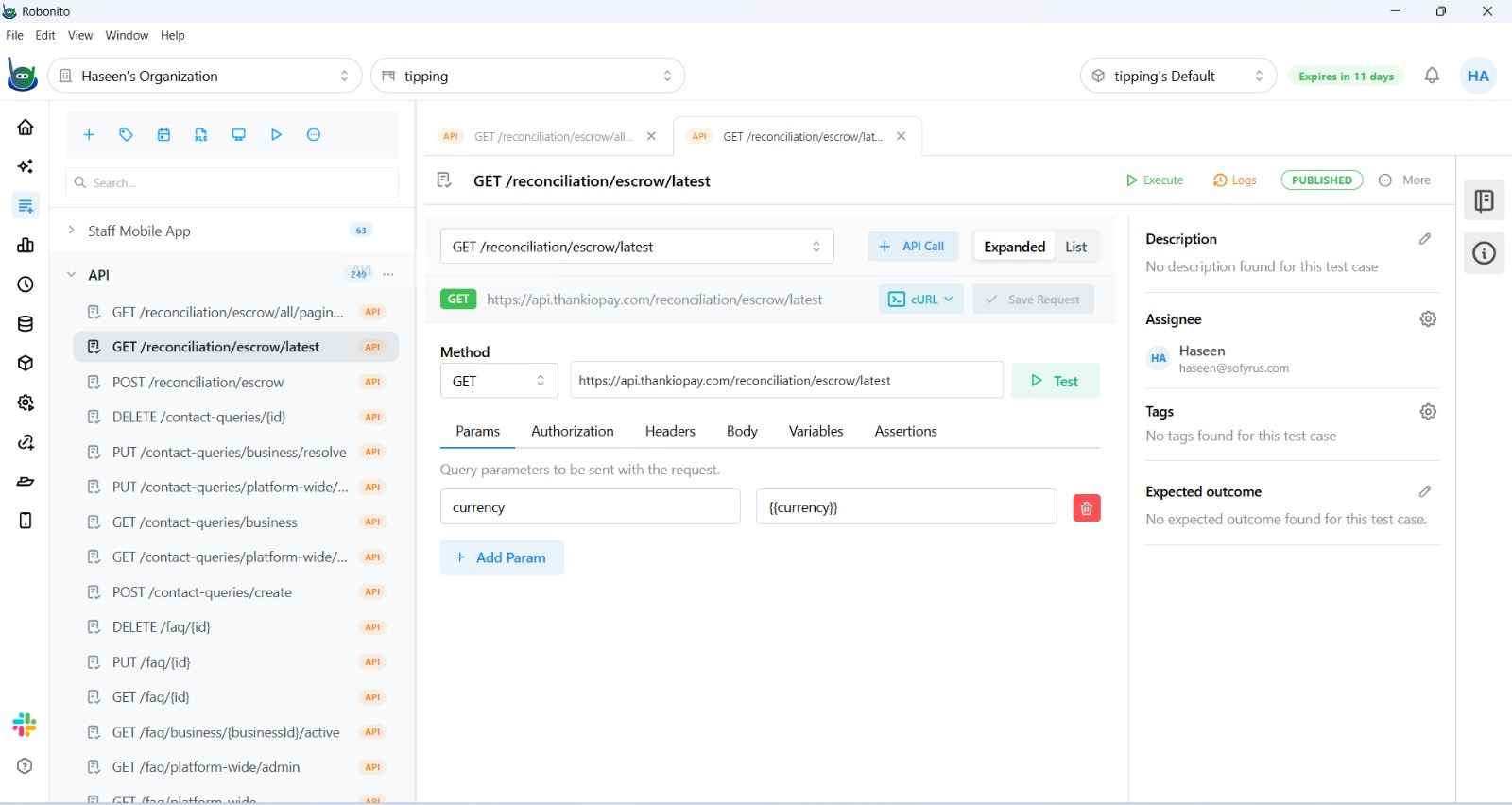
1. AI-Driven Auto-Chaining (Smart Workflow Generator)
When dealing with large APIs (tens or hundreds of endpoints in Swagger/OpenAPI or Postman), manually identifying dependencies and stringing together chains can take hours. Robonito's Smart Workflow Generator automates this entirely:
How the AI Works
During specification import, Robonito's AI engine analyzes:
- Endpoint Paths & HTTP Methods: Identifies CRUD relationships (e.g.,
POST /orderspaired withGET /orders/{orderId}). - Request & Response Schemas: Analyzes JSON schemas to identify matching data types and field names (e.g., detecting that
POST /auth/loginreturnsaccessTokenwhich matches theAuthorizationheader required by downstream routes). - Semantic Field Matching: Detects business object flows (e.g., mapping
userId,customerId,cartId) across separate microservice endpoints.
User Workflow
- In your API Suite, click Import → Swagger / OpenAPI (or Postman Collection).
- After uploading or fetching your specification, the import modal displays two view tabs:
- Endpoints View: The traditional flat checklist of individual endpoints.
- Journeys View (AI): Pre-grouped, chained user journeys discovered by the AI.
- Switch to the Journeys View (AI).
- Browse recommended multi-step journeys, such as:
- User Onboarding Flow:
POST /auth/register➔POST /auth/verify-email➔POST /auth/login➔GET /users/me - E-Commerce Checkout Journey:
POST /cart➔POST /cart/items➔POST /checkout➔GET /orders/{{orderId}}
- User Onboarding Flow:
- Visual Chaining Preview: Click any journey to see a visual diagram of the chained steps, with directional arrows illustrating where variables are extracted and passed.
- Select your desired journeys and click Import Selected Journeys.
- Robonito imports them as fully configured, chained test cases with all JSONPath extractions, variables, and header injections pre-wired.
2. AI Copilot for Variable Mapping (Chaining Assistant)
When manually creating or editing an API test case with multiple steps, you don't need to write complex JSONPath queries by hand to pass data from Step A to Step B:
- In Step B, navigate to the target input field where you need an upstream value (e.g., a path parameter
{id}, query param?userId=, or request body attribute). - Click the Smart Map (AI) icon next to the field.
- A popover appears: "Map from Step 1: POST /users".
- The AI highlights the most probable matching fields from the previous step's response schema (e.g., matching Step B's
customerIdparameter to Step A's response property$.data.user.id). - Click Accept Suggestion. Robonito automatically configures the variable extraction on Step A and injects
{{customerId}}into Step B.
3. Smart Assertion Suggester (AI-Assisted Assertions)
In addition to auto-chaining, Robonito includes an AI-powered assertion suggester that recommends validation rules based on live server response payloads:
- In the API Test Case builder, click Run Step on an individual request to fetch a live response from your development or staging server.
- In the Response Panel, next to the response payload, click Suggest Assertions (AI).
- A drawer opens displaying recommended assertions tailored to the actual response:
- Status code validations (e.g.,
Assert Status Code == 200). - Structural & schema checks (e.g.,
Assert $.data is Array with length > 0). - Business critical fields (e.g.,
Assert $.status == "success",Assert $.user.id is Number). - Response latency thresholds based on measured round-trip time.
- Status code validations (e.g.,
- Suggestions are automatically filtered against any assertions you already have to prevent duplicates.
- Select the suggested assertions you wish to keep, adjust expected values if needed, and click Add to Step.
4. Hybrid Web & API Chaining via Browser Session
Robonito uniquely supports hybrid test cases that combine Web browser actions with API validation steps:
How It Works
Traditional API tests require dedicated API login endpoints to acquire auth tokens. However, many enterprise applications use complex SSO, CAPTCHA, or OAuth flows that are easiest to authenticate through a browser.
With Browser Session (AuthenticationType.BROWSER_SESSION):
- Add a Web test step that logs in via the browser.
- Add an API step immediately following the web actions.
- In the API step's Authentication tab, select Browser Session.
- During execution, Robonito's API engine reads the active cookies and session context directly from the browser window and dispatches the API call as the authenticated user.
- This allows you to verify backend permissions, trigger asynchronous jobs, or inspect server-side business rules without maintaining separate API token generators.
5. Manual Variable Chaining Reference
If you prefer to configure chaining rules manually, Robonito provides complete granular control:
Step 1: Extract Variables from Response
In the source request, open the Variables tab:
- Click Extract Variable.
- Set the Variable Name (e.g.,
authToken). - Set Source (
Response Body (JSON)orResponse Header). - Enter the JSONPath expression (e.g.,
$.accessTokenor$.data.user.id).

Step 2: Reference Variables Downstream
In any subsequent request, wrap the variable name in double curly braces: {{variableName}}:
- URL Path:
https://api.example.com/orders/{{orderId}} - Headers:
Authorization: Bearer {{authToken}} - Query Parameters:
?userId={{userId}} - Request Body (JSON):
{
  "orderId": "{{orderId}}",
  "status": "APPROVED"
}
Full CRUD Chaining Example
Here is a complete end-to-end chain validating a user management lifecycle:
Step 1: Authenticate
  POST /auth/login
  Body: { "email": "{{adminEmail}}", "password": "{{adminPassword}}" }
  Extract: $.token → {{authToken}}
  Assert: Status Code = 200

Step 2: Create User
  POST /users
  Header: Authorization: Bearer {{authToken}}
  Body: { "name": "Alice Tester", "email": "{{$randomEmail}}" }
  Extract: $.id → {{userId}}
  Assert: Status Code = 201

Step 3: Retrieve User
  GET /users/{{userId}}
  Header: Authorization: Bearer {{authToken}}
  Assert: Status Code = 200
  Assert: $.name == "Alice Tester"

Step 4: Update User
  PATCH /users/{{userId}}
  Header: Authorization: Bearer {{authToken}}
  Body: { "role": "admin" }
  Assert: Status Code = 200

Step 5: Clean Up
  DELETE /users/{{userId}}
  Header: Authorization: Bearer {{authToken}}
  Assert: Status Code = 204
Related Documentation
- Variables in API Testing — Complete JSONPath extraction guide.
- Importing Existing Collections — Importing Postman and Swagger specs.
- Configuring an API Endpoint — Request methods, headers, and authentication.
- API Assertions — Reference guide for assertion types and operators.