Browser Management
The Browser Management section allows you to download, install, and manage browsers used for test recording and execution in Robonito. Only browsers that are downloaded or installed on the system are available for automation.
How to Access Browser Management
Follow the steps below to navigate to the Browser Management page:
- Log in to Robonito
- Click on your Profile icon in the top-right corner
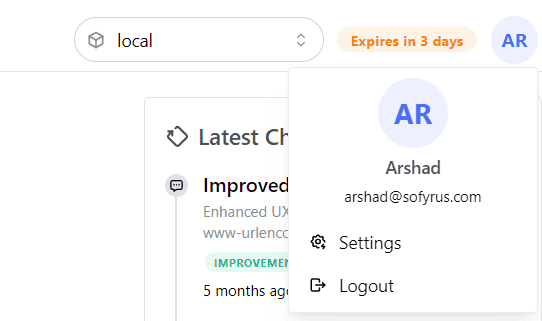
- Select Settings from the profile menu
- Click on Browser
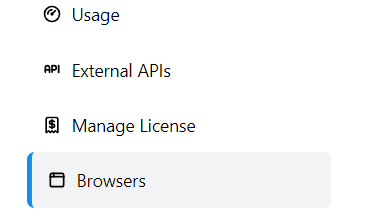 The Browser Management page opens, where you can manage supported browsers for test execution.
About Browsers
Robonito uses portable browser versions for automated testing.
- Portable browsers such as Google Chrome, Mozilla Firefox, and Safari are downloaded locally and managed by Robonito
- Microsoft Edge is installed system-wide by Playwright when downloaded and is detected automatically if already available
- Only downloaded or system-installed browsers are available for recording and test execution
Supported Browsers
Robonito currently supports the following browsers:
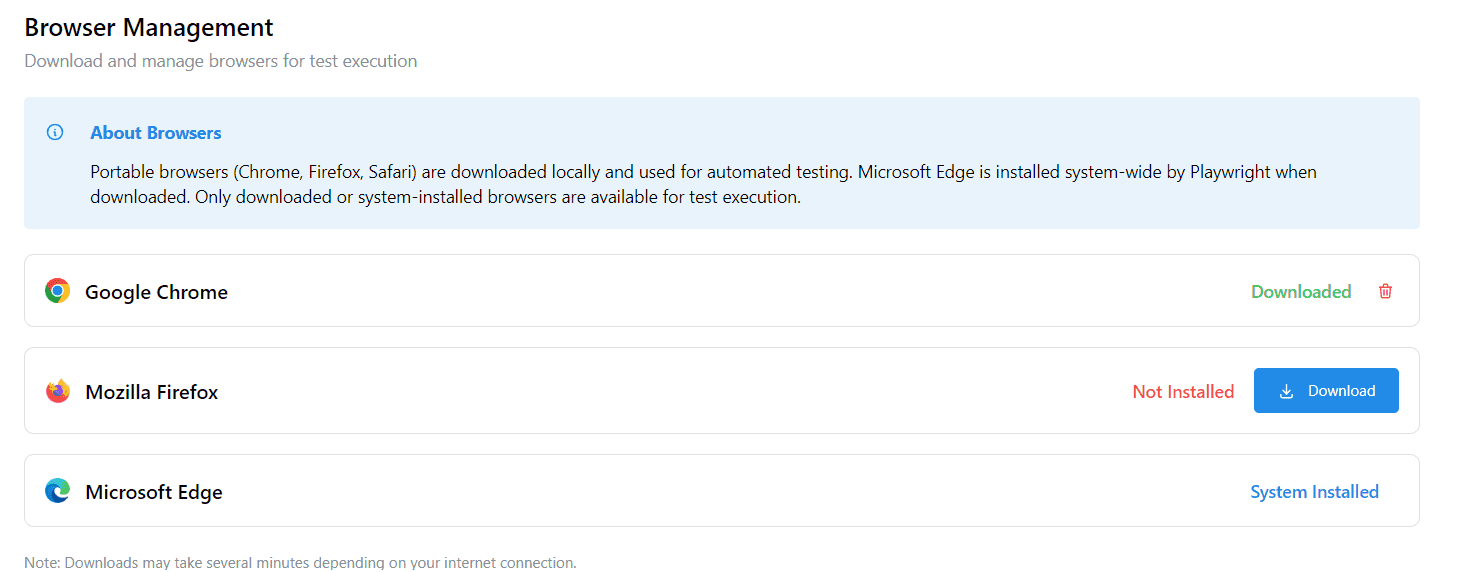
Google Chrome
Status: Downloaded
- Ready for immediate use during recording and execution
- Can be removed if no longer required
Mozilla Firefox
Status: Not Installed
- Must be downloaded before use
Downloading Firefox
- Click the Download button next to Mozilla Firefox
- Robonito downloads the browser locally
- After completion, Firefox becomes available for test execution
Microsoft Edge
Status: System Installed
- Automatically available if installed on the system
- No additional download required
Managing Browsers
Downloading a Browser
- Click Download next to the required browser
- Download time may vary based on internet speed
- Once downloaded, the browser status changes to Downloaded
Removing a Browser
- Click the delete icon next to a downloaded browser
- The browser is removed from the local system
- Removed browsers will no longer appear in browser selection options
Browser Availability During Execution
Only browsers marked as Downloaded or System Installed can be selected during:
- Test recording
- Test execution
Browsers that are not installed will not appear in browser selection dropdowns.
Notes
- Browser downloads may take several minutes depending on network conditions
- Ensure sufficient disk space before downloading browsers
- It is recommended to download required browsers in advance